Create your Netchex API key
Your software vendor asked you for an API key. It lets their software connect to your Netchex data. You can create it yourself.
- About 2 minutes
- You need Company Administrator access
Building software for Netchex clients? Request partner access instead.
1Open Maintenance, then API Keys
Sign in to Netchex the way you normally do. In the menu on the left side of the screen, click Maintenance.
A short list opens under it. Click API Keys. If you do not see it, scroll down in the menu.
Already signed in? Go straight to API Keys.
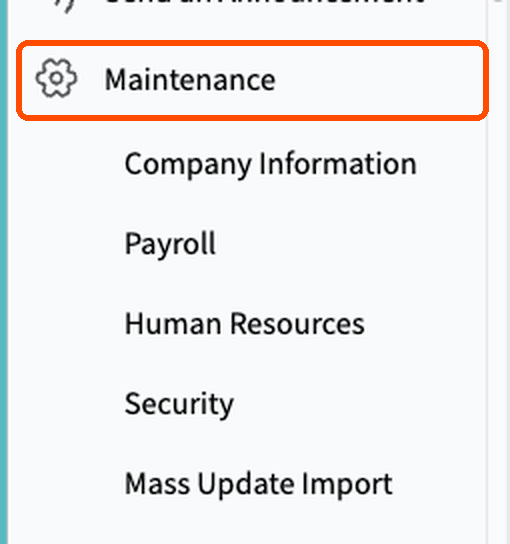
The left menu in Netchex. 2Click Create Key
You are now on the API Keys page. Click the blue + Create Key button at the top right.
A window opens where you fill in a few details.

Top right of the API Keys page. 3Fill in the window
- AName your key
Type a name you will recognize later, such as the name of the software. Only your team sees it.
- BChoose your companies
Pick each company this key may use. The software can only see the companies you select. Have more than one company? Pick every one that vendor needs.
- CChoose when it expires
After this date the key stops working on its own. You can always create a new one.
- DClick Create Key
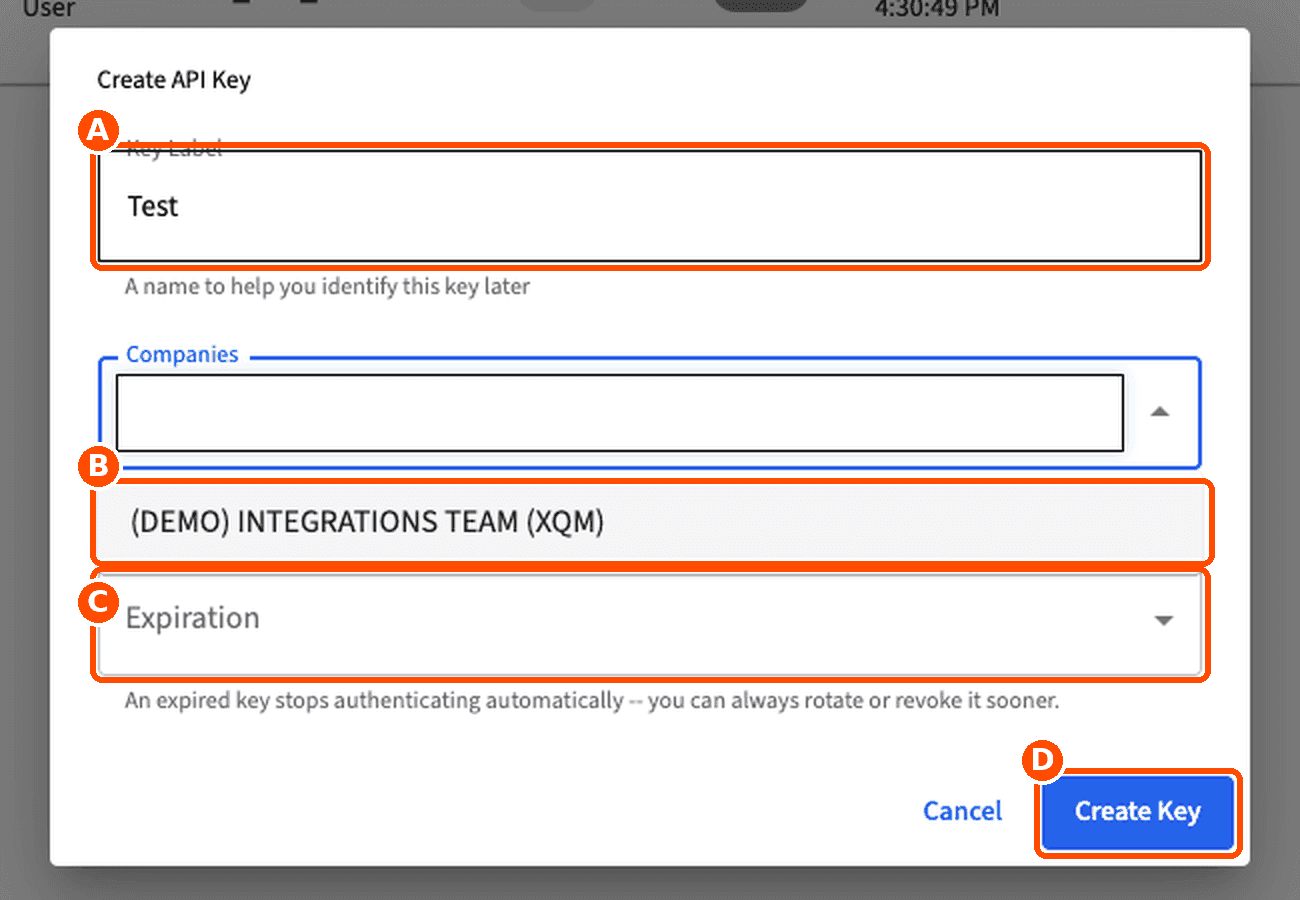
The Create API Key window. Your company names will appear in the list (B). - A
4Copy your key and send it to your vendor
Netchex shows your new key on screen. It appears only once, so copy it right away.
Treat the key like a password. Send it to your vendor the way you would send a password, and do not post it in a public place.
Lost it? Go back to Maintenance > API Keys and click Rotate next to your key to get a new one.
What to do next1. Click copy next to your key.2. Paste it into a secure message to your vendor.3. Tell them which companies you chose.
I do not see API Keys in my menu+
Only Company Administrators can create keys. Ask the administrator at your company to follow these steps, or ask them to give you Company Administrator access in Netchex.
What is an API key?+
It is a long code that proves a piece of software has your permission to connect to Netchex. It works like a password for software, such as a time clock or an accounting program. You decide which companies it can use, and you can turn it off at any time.
How do I turn a key off?+
Open Maintenance > API Keys and click Revoke next to the key. The software loses access right away.
Software vendor or integration partner?
If you build software that connects to Netchex for your customers, request partner access. Clients do not need this step.